


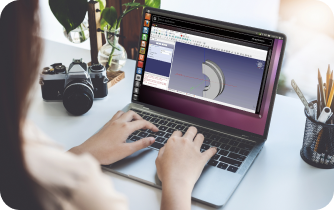
FreeCAD is an open-source 3D modeling and CAD software that has gained popularity among engineers, designers, and makers worldwide. Unlike many commercial CAD programs, FreeCAD offers a parametric modeling approach, allowing users to adjust parameters and modify designs without losing previous work. Its flexibility, modular structure, and cross-platform support make it an ideal solution for professionals seeking a versatile and cost-effective tool for precision modeling, technical drawings, and complex design workflows.
In this article, we will explore what FreeCAD program is, how it works on different platforms, and which solutions can enhance its accessibility and performance.
 What Is FreeCAD and How It Works
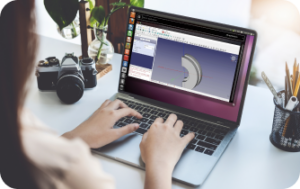
At its core, FreeCAD is a parametric 3D modeling software. Users create models by setting constraints, dimensions, and relations, which can be edited at any time without losing prior design work. The software organizes functionality through modular “workbenches,” each tailored for specific tasks like part design, finite element analysis, or technical drawings.
Beginners often appreciate the modularity, as it allows them to gradually explore features without being overwhelmed, while professional users benefit from its advanced simulation and customization capabilities. To get an overview of FreeCAD’s capabilities, check FreeCAD CAD Software.
Installing FreeCAD on Different Platforms
FreeCAD is cross-platform, available on Windows, macOS, and Linux. Each platform offers slightly different user experiences due to system-level limitations. For example, Mac users can follow the installation guide at Free CAD for Mac, while Linux users can refer to FreeCAD for Linux. Windows installations remain the most straightforward due to widespread support and fewer dependency issues.
For those who prefer not to install software locally, FreeCAD can also be accessed online via browser-based solutions, such as Free CAD Online, or used on tablets through remote access, detailed at FreeCAD Tablet. These options provide flexibility for users who want mobility without sacrificing functionality.
Why Users Explore Alternatives
Despite its strengths, FreeCAD program has limitations that sometimes prompt users to look for alternatives. The learning curve can be steep for new users, and complex projects may cause performance or stability issues. Additionally, FreeCAD has a smaller adoption in professional environments compared to commercial CAD software. This leads many Linux and Mac users to explore workarounds or different CAD solutions that better fit their operating system and workflow.
Advantages of Using FreeCAD Program Through Cloud Platforms
One of the most effective ways to overcome platform limitations is by using FreeCAD through a cloud service like Aristeem. This approach allows engineers and designers to run full FreeCAD functionality on any device without worrying about operating system compatibility.
| Feature | Benefit |
| Cross-platform access | FreeCAD can be launched on Linux, Mac, or tablets without installation |
| High performance | Complex models and simulations are processed on remote servers |
| No installation headaches | Avoid dependency conflicts or configuration errors on local machines |
| Flexibility | Work seamlessly from laptops, tablets, or any browser-enabled device |
| Ready environment | Access a pre-configured CAD workspace with all tools and plugins |
Conclusion
FreeCAD program remains a versatile, accessible, and robust solution for 3D modeling and CAD design. Its parametric capabilities make it highly flexible, while its cross-platform support opens doors for engineers and designers using different operating systems. However, system-specific limitations can impact workflow and efficiency. Using FreeCAD through a cloud platform like Aristeem resolves these issues, enabling high-performance modeling from any device, anywhere, and at any time.
By combining the strengths of FreeCAD with cloud deployment, users gain the freedom to focus on design and engineering rather than technical setup, ensuring a smoother, more productive experience.


