


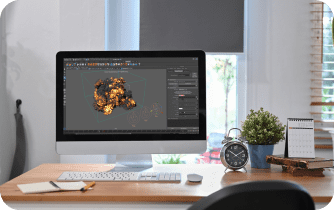
Autodesk Maya remains one of the leading 3D modeling, animation, and visualization programs used in movies, games, advertising, and architectural visualization. Its ability to create complex 3D scenes, characters, deformations, and animated objects makes it indispensable for professionals. Modern workflows often rely on Mayaplugins to expand functionality and streamline production.
Visualization and rendering in Maya with Chaos and KeyShot
In modern 3D production, realistic visualization is a critical step when a model transitions from a technical framework to a final image. The integration of Autodesk Maya with Chaos Group and Keyshot Maya plugin creates a professional pipeline combining speed, quality, and versatility. These plugins for Maya allow control over lighting, materials, simulations, and atmosphere without complex settings or long rendering times.
-
V-Ray — professional rendering

V-Ray for Maya provides realistic visualization with physically correct lighting and shadows:
-
Global Illumination support
-
Materials with accurate PBR rendering
-
Large set of shaders
Used in film, advertising, and architecture, where precise lighting is essential.
-
Phoenix — fire, smoke, and fluid simulations
Maya Phoenix enables effects that are difficult for other tools:
-
Simulation of gases and fluids
-
Interaction with scene objects
-
Visualization of fire, explosions, and fog
Ideal for VFX artists and animators.
-
Corona — natural light and soft images
Corona render for Maya emphasizes simplicity and naturalness:
-
Realistic daylight and artificial lighting
-
Fast results without complex settings
-
Organic material rendering
Frequently used in architecture and product visualization.
-
Enscape — fast interactive preview
Enscape plugin allows immediate visual feedback:
-
Interactive real-time rendering
-
Useful for architects and designers
-
Quick presentation of projects to clients
KeyShot offers fast product rendering:
-
Photorealistic product visualization
-
Support for HDRI and PBR materials
-
Interactive visualization
-
Import scenes from Maya
The Keyshot Maya plugin lets designers quickly create presentation shots without complex shaders.
This workflow benefits architects, product designers, game animators, and VFX artists. Combining Maya with Chaos and KeyShot Maya plugins optimizes time, provides predictable results live, and minimizes experimentation with lighting and materials, crucial under tight deadlines.
Maya and Chaos integration in the Aristeem cloud: access from any device
Modern 3D work no longer depends solely on powerful local machines. With the Aristeem cloud, you can use Chaos plugins and KeyShot remotely — without drivers, complex installation, or powerful hardware. All you need is an internet connection. With just this one requirement, Maya for Mac, Maya 3D Linux, or even Maya on a tablet or low-end laptop becomes fully accessible.
Key benefits of Aristeem
-
Run Maya and Chaos plugins without hardware
No RTX, drivers, or installation hassle. Full GPU rendering support in the cloud—V-Ray, Corona, Phoenix, Enscape, and Keyshot work instantly. -
A single ecosystem of tools
All render engines, Maya plugins, and licenses in one place. No version conflicts or compatibility issues. -
Access from any platform
Windows, macOS, Linux, Chromebook, iPad — even low-end devices. Computations are cloud-based. -
Mobile rendering of complex scenes
GI, HDRI, FX, large textures, and simulations work without a workstation. -
Fast previews and renders
Enscape — for architecture; V-Ray/Corona — for photorealism; Phoenix — for FX; KeyShot — for products. Minimal delays, parallel rendering possible. -
Collaboration and sharing
Teams work on a single scene, sharing materials and settings without sync issues. -
Support
Technical support and chatbots via Telegram and WhatsApp help resolve issues during work.
Conclusion
Integration of Maya and Chaos tools in the Aristeem cloud simplifies 3D workflows: no need for complex workstations, video card updates, or local infrastructure. This modern workflow ensures speed, quality, and flexibility while combining animated, static, and interactive objects in one scene. With Aristeem, professionals achieve photorealistic rendering and simulations anytime, on any device, opening new levels of mobility and efficiency in 3D visualization.


