



One of the biggest advantages of apps on tablets, including the iPad, is mobility. Professionals can carry their work anywhere without being tied to a heavy desktop or laptop. However, tablets often have limited processing power and storage, which can restrict the use of demanding applications. This is where cloud virtual machines (VMs) come into play. By running software on a powerful remote server and streaming it to the iPad or any tablet, users can run high-end programs smoothly without worrying about local hardware limitations.
Transforming Tablets into Cloud-Powered Workstations
Tablets have become indispensable tools for creativity, productivity, and professional work. With the advancement of cloud computing, users can now access powerful software directly from their tablets using a cloud virtual machine, overcoming traditional hardware limitations.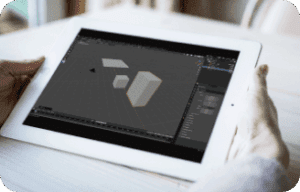
- For those exploring 3D on tablet, cloud VMs make it possible to use tools like Blender on tablet or even AutoCAD on tablet or iPad. These applications traditionally require high-performance computers, but through the cloud, complex modeling, rendering, and drafting tasks can be done remotely, allowing artists and engineers to work anywhere. Similarly, Photoshop on tablet, including on the iPad, or any professional photo editing software becomes fully accessible, giving designers the flexibility to edit, retouch, and compose images without compromise.
- Editing photos on a tablet through cloud VMs is especially convenient for photographers who travel or work on location. Instead of transferring large RAW files back and forth between devices, they can open, edit, and export images directly on the tablet, including the iPad, with the full power of desktop-grade software. This workflow enhances both efficiency and creative freedom.
Using a cloud virtual machine on a tablet, transforms the way we work with professional applications. Whether it’s 3D design, architectural modeling, photo editing, or general productivity, tablets become fully capable workstations without the need for expensive hardware upgrades. The combination of mobility, power, and cloud technology ensures that professionals can achieve desktop-level performance anywhere, anytime.
Aristeem: Access High-End Software on Tablets with Ease
Thanks to Aristeem, professionals no longer need the latest hardware to run programs such as Blender, AutoCAD, Photoshop, Power BI, or other demanding software. The software runs on a robust remote server, while the tablet acts as a convenient interface, streaming the application in real-time.
Key advantages of Aristeem include:
- Full access to desktop-grade software on lightweight devices like tablets and iPads, without compromising performance or stability.
- Mobility and flexibility: users can work from anywhere, whether in the office, at home, or on the go.
- Easy setup: Aristeem provides pre-configured virtual environments, saving time on installations and complex system setups.
- Scalability and customization: users can select VM configurations that match their project needs, from graphics-heavy 3D modeling to large-scale video editing.
- Dedicated support: Aristeem offers guidance and troubleshooting for platform usage via Telegram and WhatsApp, ensuring smooth workflows and quick resolution of technical issues.
- Collaboration-friendly: teams can access the same powerful environment from multiple devices, facilitating efficient remote collaboration.
By using Aristeem, tablets become true professional workstations. Designers, engineers, and content creators can harness the full capabilities of high-performance software anywhere, without worrying about local hardware limitations. With reliable cloud infrastructure and dedicated support, Aristeem ensures that working with demanding applications is accessible, efficient, and hassle-free.


