When you launch Premiere Pro on Linux through our platform, you’re renting a fully-equipped virtual Windows PC, hosted on high-performance servers built for professional work.

Whether you're using Ubuntu, Fedora, Debian, Arch, or another distro—if it runs a modern browser, it can run Premiere Pro on Linux. Even lightweight devices can handle it because your machine simply streams the interface, not the processing.
LaunchPremiere Pro is used for professional video editing, timeline-based video production, and post-production workflows. While there’s no native Linux version, with Aristeem, you can run it in just a few clicks. Plus, all the heavy lifting is done on our servers, not your Linux machine
#1
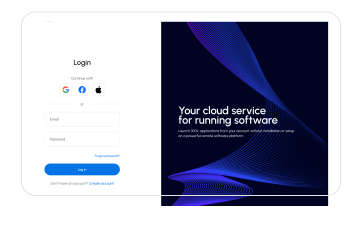
Log In To Your Account
On The Aristeem Service
If you already have an account, or create a new account.
#2
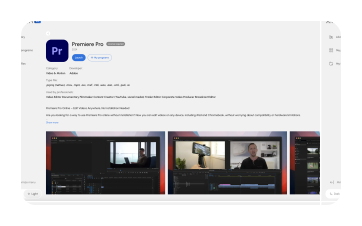
Find The Premiere Pro
Program
Choose the "Video Editing" category or use the search function
#3
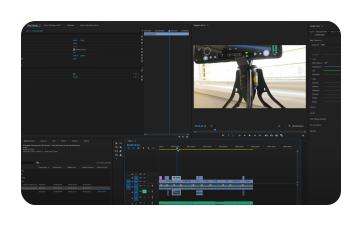
Launch Premiere Pro
on Linux
Click the "Launch" button, wait for the program to load, and you're ready to go. This program requires a license.
Launch Premiere Pro on Linux machine in just a few clicks and start working effortlessly!
Try it Now
Quick access
No need for complex virtual machines or dual-boot setups – just launch and go.

Resource efficiency
Save money and time by avoiding additional hardware or Windows installations.

Full functionality
Access all Adobe Premiere Pro features, from logo design and typography to vector Premiere Pro and layout, right from your Linux machine.

Storage
Our service allows you to store and download files of up to 100 GB.

12 CPU cores

32 GB RAM
Radeon 7900 XT 16 GB GPU

100 GB cloud storage

We give each new user 10 HOURS OF FULL ACCESS You can explore all the features of the service without restrictions or hidden conditions.

Full Functionality
You get access to all features of the service, exactly the same as on any paid plan. No blocked features.

No "payment surprises"
You can work freely and save results, without fearing a "Pay to Continue" message.

No Payment Details Required
You don't need to enter any payment information to register and get started. There will be no automatic charges.

10 Hours of Pure Usage
Your 10 hours are 10 actual hours of work. The timer only runs when you are directly working in the application.