Use Cinema 4d on Linux by Renting a Powerful Virtual PC in the Cloud
When you launch Cinema 4d on Linux through our platform, you’re renting a fully-equipped virtual Windows PC, hosted on high-performance servers built for professional work.
Whether you're using Ubuntu, Fedora, Debian, Arch, or another distro—if it runs a modern browser, it can run Cinema 4d on Linux. Even lightweight devices can handle it because your machine simply streams the interface, not the processing.
How To Start Working In Cinema 4d OnLinux In Just A Few Clicks?
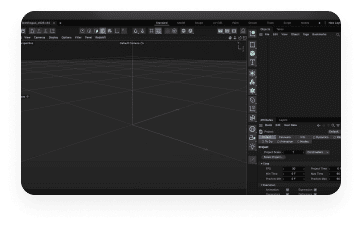
Cinema 4d is used for creating stunning 3D models, animations, and visual effects. While there’s no native Linux version, with Aristeem, you can run it in just a few clicks. Plus, all the heavy lifting is done on our servers, not your Linux machine
#1
Log In To Your Account On The Aristeem Service
If you don’t have an account, or create a new account.
#2
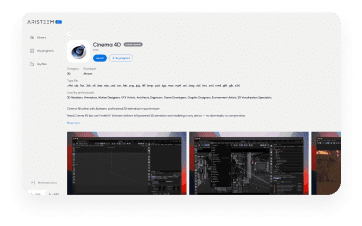
Find The Cinema 4d Program
Choose the "3D" category or use the search function
#3
Launch Cinema 4d on Linux
Click the "Launch" button, wait for the program to load, and you're ready to go. This program requires a license.
Launch Cinema 4d on Linux machine in just a few clicks and start working effortlessly!
No need for complex virtual machines or dual-boot setups – just launch and go.
Resource efficiency
Save money and time by avoiding additional hardware or Windows installations.
Full functionality
Access all Cinema 4d features, from modeling and texturing to rendering and animation, right from your Linux Machine.
Storage
Our service allows you to store and download files of up to 100 GB.
Check Out The Full Program Catalog!
We offer many other great programs that you can run on Linux with just a few clicks. No setup or installation needed – just log in and start working, powered by our cloud service. Your device’s performance doesn’t matter!
Autodesk Maya
3D animation, modeling, simulation, and rendering software