


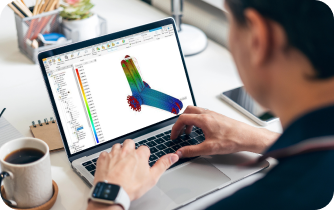
Autodesk Inventor online: when local install is impossible
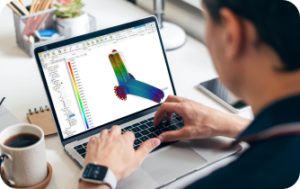
You need Autodesk Inventor for a design review, a quick edit, or a full build — but your device can’t run it. Maybe you’re on a Mac, Linux laptop, iPad, Chromebook, or a PC without a capable GPU, and IT won’t grant admin rights before the deadline. In these moments, you search for Autodesk Inventor online because you simply need the tool to open, assemble, and render without touching your system setup.
Even if you have a Windows desktop somewhere, access isn’t guaranteed when you’re offsite or switching devices. Moving multi‑gigabyte datasets around is risky and time‑consuming, and configuring graphics settings eats into billable hours. The practical need is clear: a secure way to run Autodesk Inventor in browser right now, from whatever device you have in front of you.
Common ways to use Autodesk Inventor without installation: pros and cons
Buying a new Windows workstation with a modern GPU will run Inventor well, but it is expensive, slow to procure, and not feasible for short-term needs. Hardware budgets, procurement approvals, and lead times turn a simple design task into weeks of waiting. Even then, you are tied to a single desk and lose the flexibility to work from multiple devices, so the benefit of use Autodesk Inventor without installation is lost.
Installing Windows on your current machine or setting up a dual‑boot or local virtual machine can work, but it is fragile and time‑consuming. Apple silicon Macs can’t natively boot Windows, and VMs on lightweight laptops often struggle with 3D acceleration. Driver conflicts, license managers, and policy controls complicate the process, and you still carry the risk of breaking a stable setup for other tools you rely on, despite the allure of a quick Windows installation.
Using a traditional remote desktop to connect to an office PC sounds simple, yet performance for heavy 3D viewports is inconsistent. General remote tools compress frames in ways that can blur geometry and introduce latency, and they depend on a reliable corporate network and VPN. If that host PC goes to sleep, updates, or loses its connection, your session is gone — making remote desktop a fragile lifeline for serious CAD work.
The best way to run Autodesk Inventor in browser with consistent performance
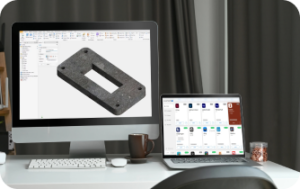
The most reliable path is a high‑performance environment that lives in your browser, already optimized for 3D. Instead of wrestling with installs, drivers, and GPU settings, you start a clean workspace on demand and sign in with your paid Autodesk license. This approach lets you run Autodesk Inventor in browser with the stability and responsiveness you expect from a well‑tuned desktop, regardless of the device you’re holding.
Compared to buying hardware or repurposing a remote office PC, a browser‑based environment is immediate and portable. It removes the wait times and minimizes risk to your primary machine while keeping your files accessible. Crucially, it allows you to use Autodesk Inventor without installation overhead, so your focus stays on design, not IT chores or patchwork workarounds.
Aristeem: a fast path to Autodesk Inventor online with an Autodesk Inventor cloud PC
Aristeem provides a ready‑to‑use, GPU‑accelerated environment that launches inside your browser, so Autodesk Inventor runs like it’s on a tuned workstation. It is a full working environment — not an emulator and not a remote desktop — designed to remove setup friction. You get instant access from Mac, Linux, Windows, iPad, Chromebook, or a weak PC, and your session is isolated from your local OS and drivers, keeping your personal setup clean.
You can connect storage from popular cloud drives or bring your own repositories, so large assemblies, libraries, and vendor parts are right where you need them. With full working environment in the browser, you can install add‑ins, set project paths, and keep your preferences between sessions just as you would on a local machine.
Performance remains stable because Aristeem is built for heavy 3D workloads from the outset. Viewport interaction, pan/zoom/orbit, and shaded visual styles feel natural, and switching devices does not require reinstallation or driver tweaks. Whether you are reviewing on an iPad, editing on a MacBook, or presenting on a conference room PC, your cloud Autodesk Inventor is a click away with consistent behavior.
Start Autodesk Inventor online in minutes — no setup, just work
If installing or maintaining Autodesk Inventor on your current device is blocking progress, there is a cleaner way forward. Aristeem removes the hardware and OS barriers so you can open assemblies, iterate on designs, and deliver reviews from any device without touching your local configuration. You keep your workflow, use your paid license, and gain the freedom to move seamlessly between locations and hardware.
Launch a session, sign in, connect your files, and get back to engineering. Try Aristeem to run Autodesk Inventor online with stable, GPU‑accelerated performance and a familiar desktop experience inside your browser — so deadlines drive your day, not installs, drivers, or hardware constraints.


