


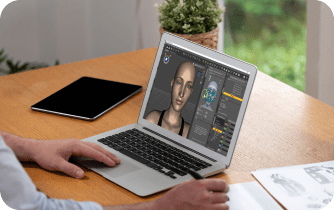
The popularity of creating 3D content and animating in DAZ 3D continues to grow thanks to its intuitive interface and extensive library of ready-made models.
DAZ Studio 3D software is officially supported on Windows and macOS, providing full functionality of the program. All tools, plugins, and updates are available for Windows and Mac, making the platform convenient for creating 3D content and integrating with other programs. There is no native version for Linux, so users of this OS are forced to use workarounds that may be unstable. In addition, users of budget devices, as well as those who wish to use DAZ 3D on an iPad or on computers that do not meet the minimum requirements, may encounter limitations in performance and functionality.
Create 3D content on Linux, Mac, or budget devices with DAZ 3D Studio
A convenient offering from the Aristeem cloud service introduces DAZ 3D version 1.4.1.87, known as DIM 3D. DAZ Install Manager acts as a central tool for managing the entire DAZ Studio environment on a remote machine. It allows downloading and installing DAZ Studio and all purchased products directly to a cloud computer. The cloud computer provides concentrated computing resources and storage, eliminating dependence on a local device. This setup simplifies working with heavy 3D scenes and large content libraries.
Through DAZ Install Manager, users see a complete overview of downloads and updates in their DAZ 3D account. Users can access the cloud machine from different devices while keeping full control of their content. Content installation and removal happen in a single interface, which is convenient in a cloud environment. This interface allows quick library management without manual file operations.
Support for online and offline modes lets users optimize work in the cloud efficiently. Content can be downloaded in advance and then used without re-downloading. For studios or teams, DIM simplifies managing products from multiple DAZ 3D accounts on a cloud server. Using DAZ 3D alternative methods is unnecessary, as cloud setup covers all software and content needs.
Optimized Cloud Workflow and Team Collaboration
Flexible installation path configuration allows organizing the content structure for specific cloud infrastructure. For example, system files and large asset libraries can be separated efficiently. Automatic metadata installation ensures the DAZ Studio library works correctly on any connected device.
The ability to pause and resume downloads, and manage the installation queue, is highly valuable. This is crucial when dozens or hundreds of products are installed simultaneously in the cloud. As a result, DIM 3D makes cloud-based DAZ Studio usage manageable, stable, and convenient for large projects and teams.
Prospects for working with DAZ 3D in Aristeem
The Aristeem cloud service opens up new possibilities for working with DAZ 3D, especially for those who use Linux, budget laptops, tablets, or other devices that do not meet the minimum requirements of the program.
- By remotely launching DAZ Studio on powerful cloud machines, users can work with large scenes, high-quality models, and animating in DAZ 3D on Mac or ny device without the limitations of local performance.
- Aristeem allows you to integrate all purchased DAZ 3D products and content into your workflow in a convenient interface where you can easily manage downloads, installations, and updates. This makes cloud work stable and predictable, and project scaling simple and secure.
- In addition to technical advantages, Aristeem provides full user support via chatbots on Telegram and WhatsApp. Users can quickly get help with setting up DAZ Studio, managing cloud content, or troubleshooting technical issues. This support makes working with 3D content even more efficient and allows you to focus on creativity rather than solving technical difficulties.
Conclusion
Thanks to Aristeem, users get the full cloud experience with DAZ 3D Studio regardless of device, increase team productivity, and easily integrate new tools into their workflow. The platform continues to evolve, providing fast access to resources, optimized content loading, and comfortable teamwork.


