



Fresco is a digital drawing and illustration program from Adobe designed for artists and designers. It combines raster and vector tools with natural brushes that mimic real materials (watercolor, oil, ink). Fresco drawing software is optimized for touch screens.
The program is available on iPad and iPhone (iOS) and Windows with touch screen and graphics tablet support. Currently, there is no full desktop version for Adobe Fresco Mac OS or Linux, though some features integrate through Creative Cloud.
Adobe Fresco on Mac:
- Official version for iPad via Sidecar or Universal Control
Mac users can run Fresco on an iPad connected via Sidecar or Universal Control. This gives full Fresco functionality but requires an iPad. - Virtual machines/emulators
Running Fresco through Windows virtual machines on Mac is possible but uses significant resources and may reduce performance.
Adobe Fresco on Linux:
- Emulators/Wine-based solutions
Running Fresco Linux through Wine or PlayOnLinux is unstable, limited, and often crashes. Touch support is incomplete. - Virtual machines (VirtualBox, VMware, QEMU)
Install Windows on Linux to run Fresco, but it consumes large resources and may slow heavy projects.
Cloud service – a universal option for any device
Fresco runs on cloud GPUs accessible through a browser or thin client. Fresco online ensures Linux and Mac users get stable, full-featured performance without local installation.
The Aristeem cloud platform unlocks new possibilities for Adobe Fresco users, providing convenience and productivity on any device.
- Full compatibility on any device
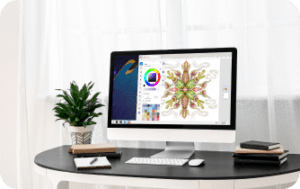
Fresco runs on remote servers, controlled via a browser or thin client. Users of Linux, Mac, iPad, or low-end laptops access all tools without hardware limits. - Stability and performance
All calculations run on cloud GPUs, providing fast processing of large files. Smooth layers, brushes, and effects work without lag or crashes. - Easy start and ready-to-use environment
Plugins and integrations for Fresco software are available immediately after launch. No manual installation is needed, saving setup time. - Mobility and accessibility
The platform allows users to work with Adobe Fresco online anywhere. Projects continue on laptops, Macs, iPads, or Linux devices without losing features. - Security and data storage
All files are stored on the server, reducing data loss risk and providing reliable access anytime. - User support
Questions about the service or Fresco software solution can be resolved quickly via Telegram or WhatsApp with the Aristeem team.
Thanks to Aristeem, users get fast, stable, and flexible performance from any device, full access to tools, and seamless cloud integration. Fresco drawing software is now usable anywhere.
Conclusion
The Aristeem cloud platform makes Adobe Fresco accessible for Linux, Mac, iPad, and low-end laptops. It offers full functionality, fast processing, secure storage, and reliable support, making Fresco software versatile and convenient for digital painting and illustration.


