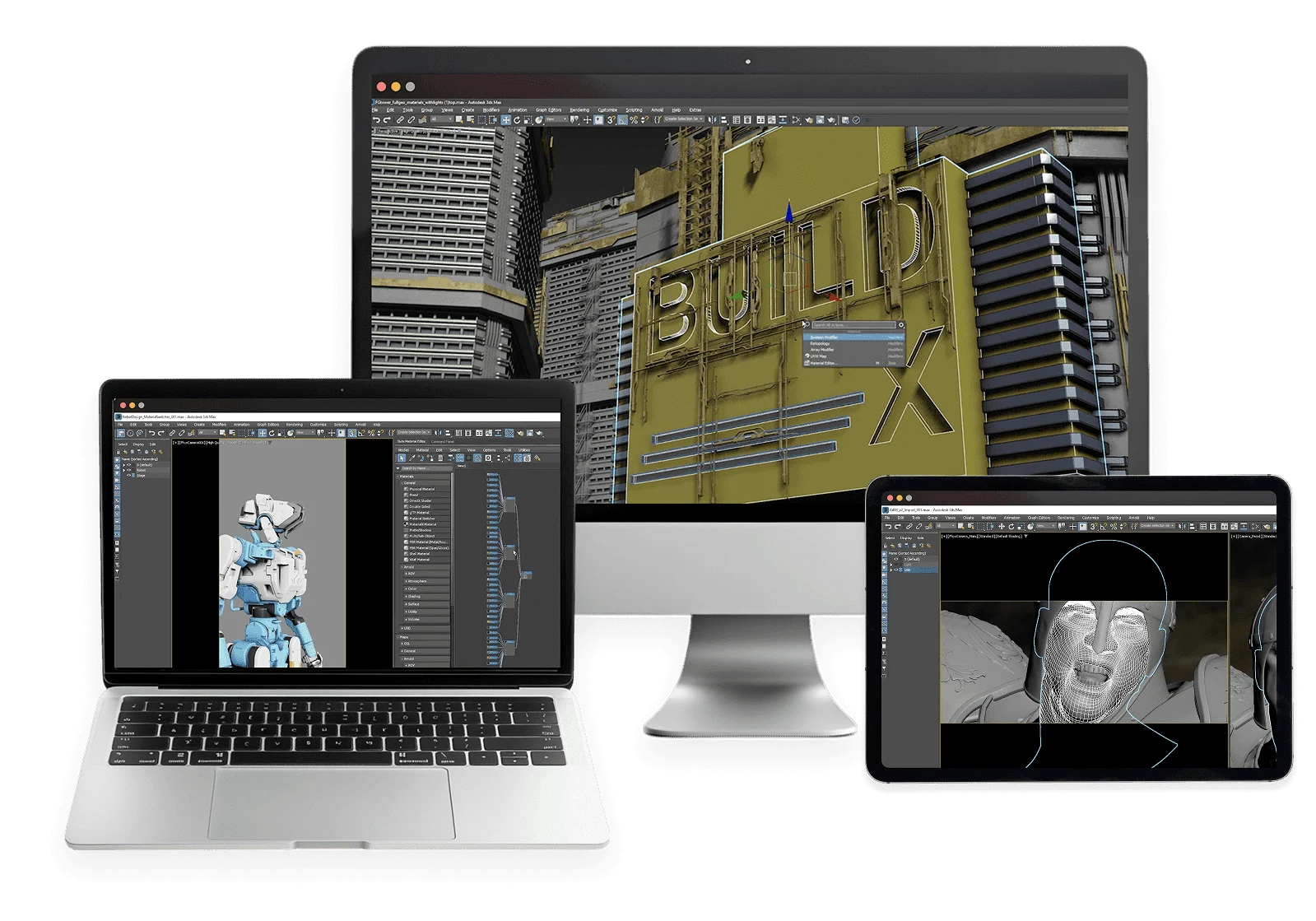
If you’re a 3D artist using a MacBook, you know Autodesk doesn’t release 3ds Max for macOS. Your only workaround is running Windows in emulators like Parallels — slow, unstable, and draining your battery.
Aristeem is the only professional solution that truly works. Get instant access to the full Windows version of 3ds Max, powered by a high-performance cloud workstation with a professional GPU.
You work right from your browser on Mac — all heavy processing happens in the cloud.Enjoy the full power of 3ds Max on your MacBook — with no compromises.
Built for Professional 3ds Max Work
We power up your device
Run the full Windows version of 3ds Max on a powerful cloud PC. Work with complex scenes, rendering plugins, and large projects on your Mac without installing Windows.
No Downloads, No Updates
No installations, storage, or updates of 3ds Max required. Your focus is on design – we handle everything else. Work on any device.
No Session Time Limits
Unlimited session duration. Instant access if servers are free.
Everything You Need for 3ds Max Projects
Run the full Windows version of 3ds Max on Intel and Apple Silicon Macs. Work with demanding scenes and rendering plugins without installing Windows or using virtualization.
3ds Max is available only for Windows. All alternative ways to run it on other devices are either extremely expensive, complicated to configure, or simply impossible on modern hardware (for example, Macs with M1/M2/M3 chips).
3ds Max with Top Plugins
Run 3ds Max instantly in the cloud – no setup needed. We’ve already included the most popular plugins:
V-Ray
Corona Renderer
MultiScatter
Forest Pack
Ornatrix
RailClone
Phoenix FD
Other Plugins
Additional Benefits Of Our Service
Ready-to-use environment – 3ds Max comes pre-installed along with essential plugins and render engines, so you can start creating immediately.
Seamlessly switch between devices – continue your 3D projects from a Mac, iPad, Linux, or Windows device without losing progress.
High-performance setup – 12-core CPUs, 32 GB RAM, and professional-grade GPUs ensure smooth viewport navigation, simulation, and rendering.
Work with large files – store your projects directly on the cloud PC with up to 100 GB of secure storage, optimized for fast file access.
No setup, no updates – focus entirely on modeling, animation, and visualization while we take care of installations, patches, and system stability.